Following up on my series from WordPress 6.9 (v1, v2), I thought I’d do another round for 7.0. We’re just barely less than one month out from beta 1 and so much is coming together. Because of how much is in progress, I’m specifically going to focus on items that are close enough to the finish line to have a review and that are more user focused/visual.
Note that I won’t cover every piece of 7.0’s roadmap so, if you want to go deeper, I recommend looking at the links shared under each top level item in the roadmap to learn more. I also won’t be overly explaining each feature so again refer to the roadmap for more context. I welcome questions and comments though!
For much of these, I’m using the Playground Gutenberg PR previewer and Playground with Gutenberg installed. In some cases, you’ll need to enable different experiments for now in Gutenberg > Experiments.
Real time collaboration
One of the final bosses to defeat in the path to real time collaboration is deciding on the default transport layer. You can see the discussion and work play out in the dedicated GitHub issue on the topic, with a recent update as of a few hours ago. Right now, a PR is underway to add a new default HTTP polling sync provider which aims to solve this. As noted in the PR, “Hosts can use a hook to provide a more robust sync provider that operates above these limits.” The key is that we need to determine what will work for the most WordPress sites in the world most of the time.
With loads of previous testing done with enterprise clients, the next step in this work is to get a call for testing out on Make Test for all to explore. I started a discussion in the leads channel to kick that off and am stoked about the next 7.0 release squad stepping in to do this important work.
Dedicated Font library with classic theme support
Beyond just having a dedicated font library section, the work for 7.0 also brings the font library to classic themes. Check it out below:
Of note, this has the bonus benefit of now being called upon from the Command Palette (love being able to close out issues).
Visual revisions
I’m breaking my “I will only show work far enough along” approach simply because I really want to see this land. Currently, there’s a draft PR that’s simply a proof of concept for what this might look like with another preparatory PR that makes up the basis for the foundation of the work to do. Just in my simple testing, I already want to use this and feel an immediate sense of relief in how having visual revisions makes it so much easier to know what’s changed. Below is a slightly longer video showing a post I drafted with various revisions saved as well as a view of what making further changes before restoring looks like.
I only found one obvious bug and left a comment on the proof of concept PR. Otherwise, it worked quite solidly.
Block bindings iteration
With Gutenberg 22.4 landing, a key piece of the work for 7.0 with block bindings landed: Custom blocks can now use Pattern Overrides. This will likely be of most interest to agency and enterprise folks as this lifts the prior restriction of overrides for synced patterns only working for four core blocks (heading, button, image, paragraph). As noted in the recent Gutenberg release, block authors can opt in through the server-side block_bindings_supported_attributes filter. I’ll defer to the great video on the release.
Customize the navigation overlay
Since what feels like the dawn of time (read: the site editor era), folks have wanted to customize the navigation overlay. For nerds who like some light historical context, this ties in directly to a prior post on bringing the ollie menu designer to Core. Inspired by the approach Mike took, core committers set out to implement a similar UX. Of note, before I recorded the following video, I set up an overlay example. By default, no overlay is set and some default patterns are being worked on to make this even easier for folks to get started with common custom overlay options:
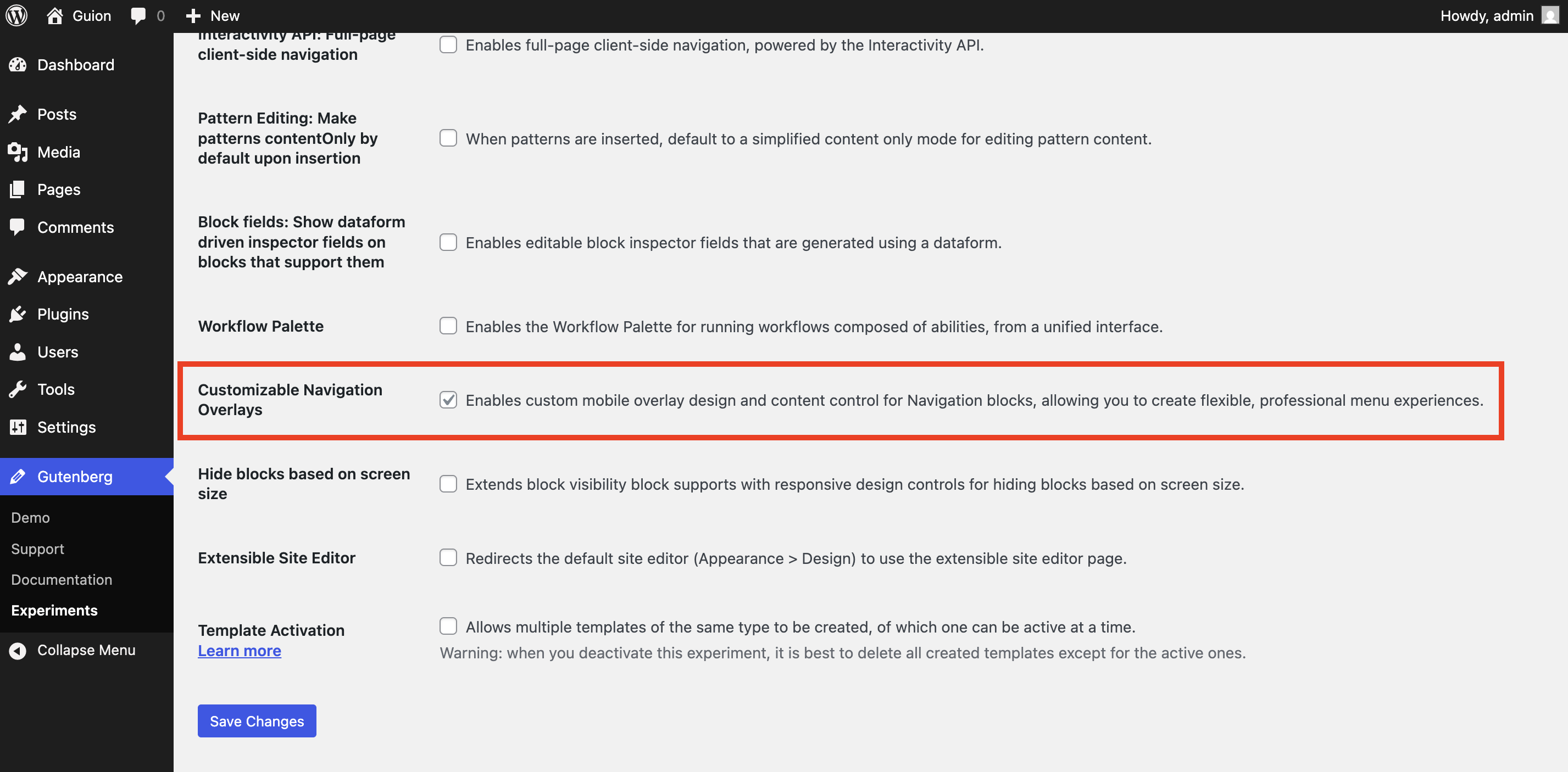
To test this you will need to head to Gutenberg > Experiments > check off “Customizable Navigation Overlays” and save.
Responsive editing mode
Building on the ability to hide blocks in 6.9, work is deeply underway to hide based on screen size. This brings a familiarity to the interface with inspiration taken directly from block locking. The List View and the Block Toolbar adapts when a block is hidden to give an indication that the block is hidden in certain scenarios. I don’t love the “omit from published content” language but it’s complex to try to communicate simply. Overall, the feature works very smoothly and paves the way for more conditions.
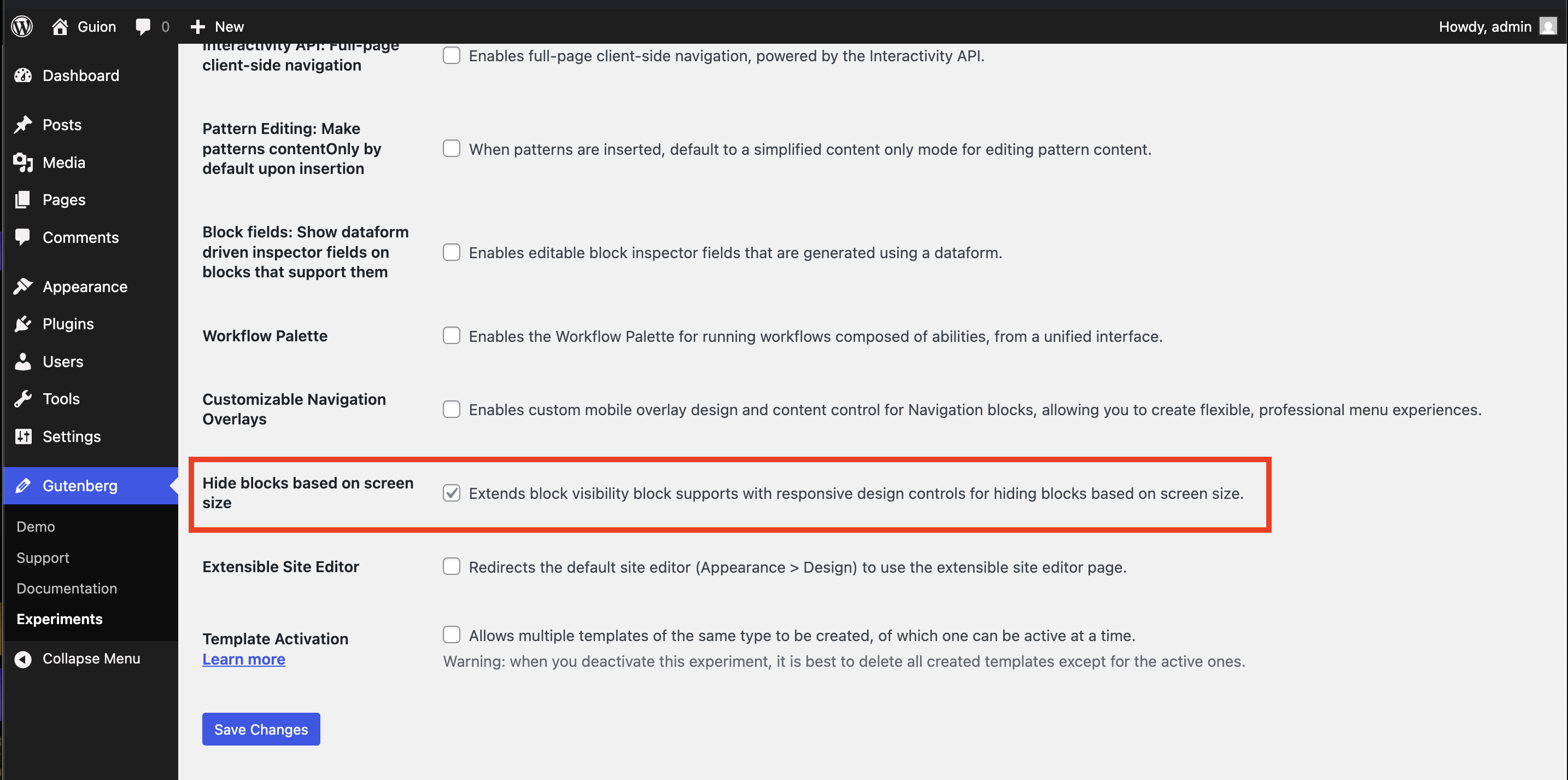
To test this you will need to head to Gutenberg > Experiments > check off “Hide blocks based on screen size” and save.
Pattern Editing
As a refresher, this work changes patterns so that, out of the box, when you add a pattern they act more like a single block would in many ways. If you want to make more advanced changes or add/remove blocks, you’re presented with an option to edit the pattern more deeply in the block settings. This aims to make patterns more approachable while still giving access to more advanced tooling available. Below is a brief video to give you a sense of what’s available by default and how the flow works to go into more advanced editing:
A PR to stabilize and remove the experimental flag is underway as a draft. Of the remaining items in the iteration issue, very little remains to complete for the scope. At this point, similar to real time collaboration, the goal now should be getting feedback and flushing out bugs as rapidly as possible through a broader call for testing.
Cover block: video embeds
In case you didn’t catch it in the above video, I hid a cover block with an SNL video playing. This is yet another new option coming to WordPress 7.0: the ability to embed videos from a URL. I’m very excited to see this change land as I’ve run into needing this feature when working on site builds (in particular, a comedian who had videos on YouTube where this would have been perfect). Matías Ventura, the project architect of Gutenberg, got this across the line which makes it even more fun:
In the process of testing this, I opened two enhancements: Cover block: put “reset” option at the bottom of the list of replace options &
Cover block: show link to embedded video after embedding. Friendly reminder to test and share feedback. For the former, I’ve kicked off claude in terminal to see if an AI-powered coding session can quickly get a PR up to fix this while I continue to write this post (PR is up by the time I was done with this post).
New blocks
To make this easier, I’m going to group a few in here and in less videos.
An initial version of the Tabs block already landed, soon after 6.9 did. A refactor is now underway for Tabs that solves some pain points folks have and adds greater granular styling control over each individual tab. In testing this, I ended up leaving a comment on the refactor as I noticed a few smaller bugs to refine. Similar to the Tabs block, the Breadcrumb block has landed and, in the time it’s taken me to test the block and report a bug, that bug was fixed. This should be a delightful addition, particularly for theme authors. Here’s a video showing them together:
The long awaited Icon block remains deeply underway with a PR to implement the block and another to implement an API for SVG icon registration. As it stands right now, the scope has narrowed to only icons that will be available via the API.
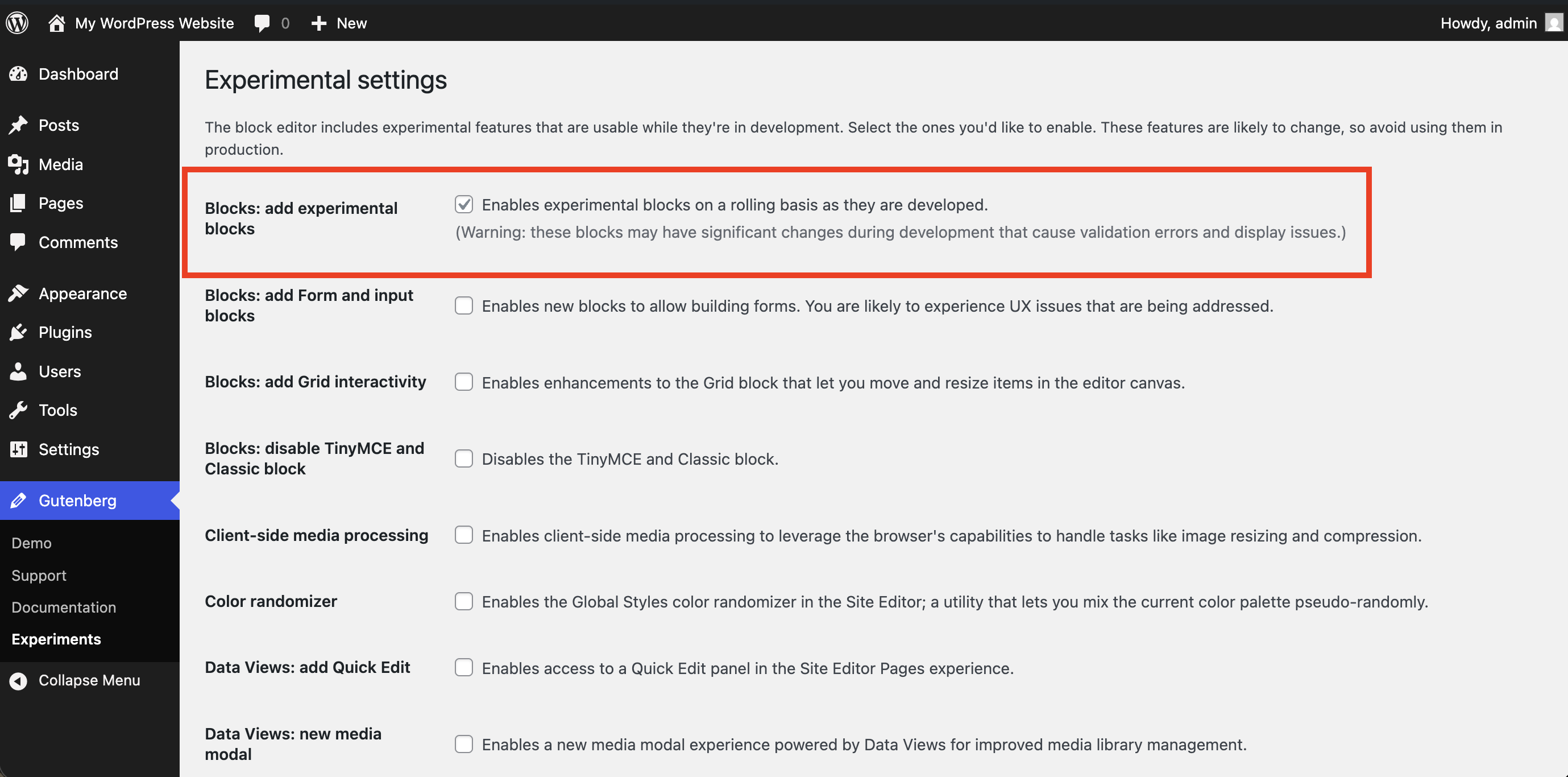
To test these blocks, you will need to head to Gutenberg > Experiments > check off “Blocks: add experimental blocks” and save. For the PRs in progress, you’ll need to test with the Gutenberg PR playground tool.
Gallery block: add lightbox support with the ability to switch between images
The Gallery block has a PR underway to add lightbox support with the ability to switch between images. As a photography lover and someone with a dedicated Gallery page, I cannot wait for this to land and the last thing to check is accessibility feedback. Here’s a quick look:
Add responsive grid styles
All tasks are complete for the iteration issue for 7.0 with the commit needed for Core approved and completed. With this work complete, this means that the Grid block now adapts to different screen sizes when columns are set. Future improvements beyond 7.0 remain so stay tuned for more iterations here in upcoming releases.
Various dev updates
Enforced iframed editor
As part of an ongoing effort to modernize the editing experience, WordPress is moving toward running the post editor inside an iframe. This work builds upon the original iframe migration in the template editor and introduces new compatibility measures in WordPress 6.9, ahead of the full transition planned for WordPress 7.0.
Preparing the Post Editor for Full iframe Integration
The work to enforce the iframe editor is nearly complete with a final PR remaining and a call to coordinate a review of the plugin directory to do some outreach to impacted plugins. This PR marks a big change in that it means the iframe is in enforced when a plugin installs non-v3 block and there’s a classic theme. Early testing and outreach will be critical to land this well and flush out any concerns.
Dropping support for PHP 7.2 and 7.3
A Make Core post is already out to drop support for PHP 7.2 and 7.3. As noted in the post:
The goal of increasing the minimum supported version of PHP is to ensure the long-term maintainability of WordPress. The benefits to increasing the minimum supported PHP version manifest over time across multiple areas, including the plugin and theme ecosystem, tooling and libraries for AI, the long-term perception of the WordPress project, developer relations, and eventually within the WordPress codebase itself, including its developer tooling and automated testing infrastructure.
Client side media
14 PRs are merged with quite a few to go to graduate client side media from experiments to a feature to land in 7.0. Amidst the flurry of work there includes a request to consider dual licensing for GPLv2 to add support for UltraHDR images as the current license isn’t compatible, meaning users will need to install a separate plugin to get support. Fingers crossed something moves there as it would be awesome to have the license shift to make it easier for users to get some of the benefits of this work.
Finally, I wanted to note a few areas where there’s a known change of direction: improved template management and visualizing hierarchy within Data Views. Outside of these release specific headliners, there are also a some exciting additional features that have been worked on that I think are excellent quality of life improvements:
- Query Loop block can exclude terms.
- Dimension presets can be set for width and min-height in theme.json.
- Focal point controls were added to the Image block (partially by yours truly!) which is particularly helpful when the image is cropped for different screen sizes or aspect ratios.
As always with WordPress releases, there’s more to come.
 agm
agm 
Leave a comment